Categories
Presentation Management

Increases Productivity

Presentation Management 08

Original content by AlexAnndra Ontra and James Ontra
Enhanced by Geetesh Bajaj
Presentation Management: The New Strategy for Enterprise ContentThis post is part of a series on Presentation Management, and is the eighth post in this series.

In the last post, we looked at how Presentation Management helps you evolve from One-and-Done to Enterprise Assets.

This set of serialized posts is based on original content, the Presentation Management: The New Strategy for Enterprise Content book, authored by AlexAnndra Ontra and James Ontra.

Make Your Content Productive

The core benefit of presentation management is the ability to create great content once, and then make it available to anyone in the organization to use over and over again. Typically, that content is a PowerPoint deck, but it could also be a video, PDF brochure, white paper or infographic. The format doesn’t matter. What matters is the ability to take any piece of content and unleash it across the organization.

Make Your Content Productive

Is Presentation Management Only for Slides?

The answer is ‘no,’ although it might have been a resounding ‘yes’ many moons ago. Presentation management used to be a PowerPoint-only solution that lived on your computer and indexed all your slides. Change your computer, and you have to do the indexing all over again.

Nowadays, thankfully, presentation management happens on the cloud and is not limited to just one computer. And as other abilities have improved, support for more file types has also widened. For example, Shufflrr supports PDFs, video and audio files, other Microsoft Office formats such as Word and Excel, and images including JPG, BMP, PNG, and GIF. Shufflrr also supports Photoshop files, although it only shows the first layer. And of course, PowerPoint files are supported.

Explore these findings:

  • Consider the cost of paying all those highly skilled marketers, writers, designers, producers, analysts, and other subject matter experts to plan, produce, execute, measure, and then revise presentation content. It adds up to an estimated $1 billion per year.
  • Organizations are making a monumental investment in their content. Unfortunately, some 70 percent of content created by marketing goes unused, according to Translations GlobalLink. And over 90 percent is never reused.
  • Companies are squandering $900 million of marketing assets annually. Yikes!

Money Going Downhill

Here are some thoughts:

  • Put that content to work.
  • Put it in a cloud location, where presenters can easily find what they need and drop it into decks. That will get you a better return on your marketing investment.
  • An effective presentation management strategy will direct the best content to the employees who need it when they need it. Presentation management will make it easy for the user to find files and slides, and then repurpose them for their meeting.
  • They don’t have to start from scratch re-creating a slide that already exists somewhere, if only they could find it.
  • It also means presenters can access content when they are actually in the meeting, face-to-face with the client. So when the client throws a curve-ball question that the presenter hadn’t anticipated, she can go to the presentation library on the fly and present content that answers the client’s question. She doesn’t have to “wing it” or tell the client that she’ll send that info over later.

Presentation management means the right content is directed to the right person at the right time.  So naturally, the content gets used more – and more effectively. The more content gets used, the more value it has.

Presentation management gives a higher return on your company’s investment in content.

Make Your Team in the Field More Productive

If the content is more productive, the team will be more productive as well.

Client feedback has told us that presentation management can save two to five hours in preparation for a meeting. Royal Caribbean Cruises Lines estimated that their presentation management solution saved 300 business managers 2.5 hours per presentation. Multiply that over 50 weeks, and you’ve just unleashed an additional 86,000 hours of productive time. That’s time that can be spent building relationships with clients and partners, solving clients’ unique problems, innovating for the company, or working on initiatives that actually build the business, as opposed to the tedious administrative task of creating a new deck that already exists somewhere.

Every salesperson saved 5 hours per week.

Presentation management takes workers out of their cubicles and puts them back into the world. But what happens when they are already face-to-face with a client, partner, or another colleague? It lets them approach presentations in an entirely new way.

The presentation follows the conversation. The best salespeople listen, then respond and react to what their clients are conveying. A one-and-done slideshow forces the speaker into a rigid, linear story with little room for spontaneity or creativity. But successful business is conducted through relationships, and relationships are built through interactive dialogue – a volley where both sides share and build on each other’s last comment.

Today, when a real discussion starts in a meeting, the slideshow is typically left behind. One slide just languishes, ignored on the monitor. Presentation management allows on-demand access to a comprehensive library where users can actually search and present a slide or file. When the client redirects the conversation, i.e., the presentation, the presenter can present the content accordingly. And this content is already compliant and up-to-date.

So the presenter can follow through with the right materials and advance the relationship. No longer does he need to schedule another follow-up meeting or chase the client down for the next couple of months to get that second (or third, fourth, or even fifth) meeting. The presenter can address all of the issues on the spot.

Presentation management reduces the number of meetings and time needed to close a deal, allowing the rep to chase more deals in the same time frame. Furthermore, when you can answer a client’s question on the spot, you look smarter, and are indeed smarter. You build credibility for yourself and for the company. Trust builds long-term profitable relationships.

Elevate the Value of Content Creators

When the content generates a higher return on investment, and your team is more productive because of how they are using that content, then that trickles right up the ladder to the content creators themselves. From the writers to the designers to the strategists and producers, many people from different disciplines contribute to a piece of marketing collateral. Presentation management increases the value of their work and how it’s perceived across the organization.

As a high-level example, let’s consider materials prepared for a huge conference, where the CEO is the keynote speaker. The budget and profile is typically pretty big for such an event, easily running into the six figures. The marketing department creates a presentation, using professional copywriters, graphic designers, and animators. Other department leaders also contribute content. Then, perhaps, a video is produced – again with professional writers, directors, videographers, makeup artists, etc. The costs keep rising.

With presentation management, elements of that presentation can be reused and re-purposed, quickly and easily.

We’re not implying that everyone in the company can give the CEO’s keynote presentation. But with a presentation management strategy in place, it will be much easier and more common for the rest of the company to reuse and re-purpose assets from that presentation for their own meetings.

Elevate the Value of Content Creators

The same results hold true on a more mundane level since we know that most presentations don’t have a $100,000 budget and are not given by the CEO. A presentation created for a sales call is actually used multiple times across the entire sales team. The content creators’ product affects 300 people in the company over the course of a year, versus two people in the company over the course of one meeting. With presentation management, the effort of content creators is elevated from a one-and-done tactical exercise to a strategic initiative benefiting the entire organization. In so doing, the content creators get more exposure and contribute more value throughout the company.

On top of that, presentation management directs the content to the presenters in the field. The content creators field fewer last-minute, panicked requests, like:

Hey, I have a meeting in one hour, where is the new pricing?

I can’t find the slide!

Do you mind, just putting these few slides together for me?

Marketing puts out these fires every day. Every time a last-minute request comes in, everything else drops. The day is derailed. Worse, the day is derailed by a request for something that already exists! Fewer fires to put out means the marketing team can put their resources into strategic initiatives that build the brand and push the business forward.


Quiz

First, try and answer these questions. Feel free to read the post again if needed. Then, scroll down to below the author profiles to find the answers.

Q1: What is the main benefit of presentation management for organizations?

Q2: How does presentation management help people in client meetings?


Quiz Answers

A1: Presentation management allows teams to create high quality content once and reuse it across the organization, saving time and increasing the value of the content.

A2: Presentation management lets presenters quickly access a library of approved slides and files, so they can respond to client questions on the spot instead of scheduling follow ups.


In the next post of this Presentation Management series, we will look at ensure compliance.

Categories
Presentation Management

From One-and-Done to Enterprise Assets

Presentation Management 07

Original content by AlexAnndra Ontra and James Ontra
Enhanced by Geetesh BajajPresentation Management: The New Strategy for Enterprise Content

This post is part of a series on Presentation Management, and is the seventh post in this series.

In the last post, we looked at how Presentation Management empowers presenters.

This set of serialized posts is based on original content, the Presentation Management: The New Strategy for Enterprise Content book, authored by AlexAnndra Ontra and James Ontra.

In a meeting room at ABC National Television Sales in 2006—before the iPhone, before cheap thumb drives, before easy cloud storage—we learned a hard lesson about PowerPoint presentations and the pace of technological change. That lesson started us on our journey to develop the concept of enterprise presentation management.

We are a brother-sister team, and we have been consulting with enterprise clients, providing presentation technology and creative services for over 20 years.

Alex and James in the 80s
Picture courtesy: AlexAnndra Ontra

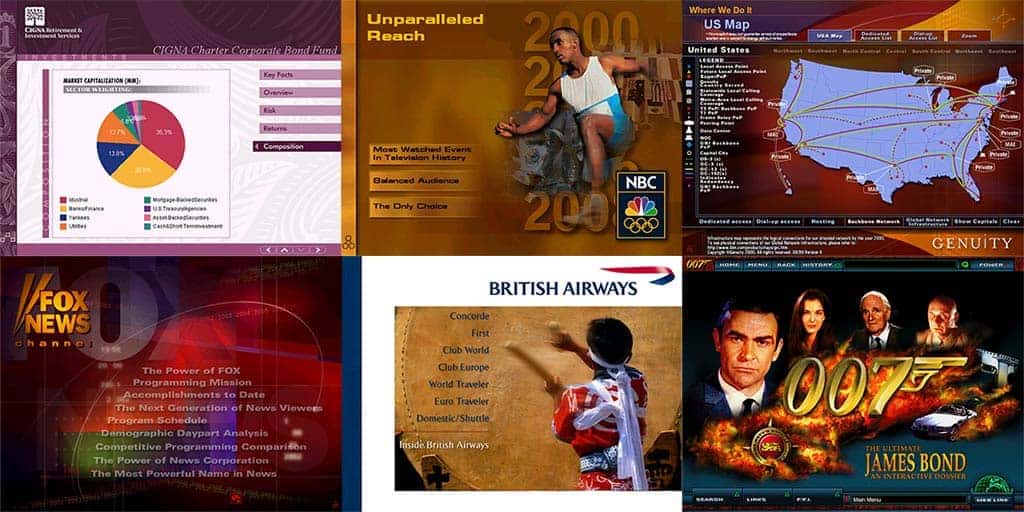
James worked at a boutique agency called Micro Interactive. One of the agency’s early customers was CBS Networks, which bought an advertising sales presentation solution to help sell its sponsorships for the 1998 Nagano Olympics. Broadcasters were early adopters of presentation technology—because there is no better way to sell TV sponsorships than with images and video.

In the 1990s, video running on a laptop was pretty cutting-edge. From broadcasters, the trend toward presentations that incorporated graphics, animation, video, and sound spread to other enterprises.

Micro Interactive built a pretty nice business designing and developing custom sales solutions – and Micro Interactive was soon purchased by the web development company iXL in the midst of the late-1990s dot-com boom.

Micro Interactive and iXL Client Slides

James joined iXL as head of sales for multimedia services and later spun out his division into a new company, Iguana Interactive. AlexAnndra left her advertising agency career to join Iguana Interactive. This is how we wound up working together. Our mother is so happy.

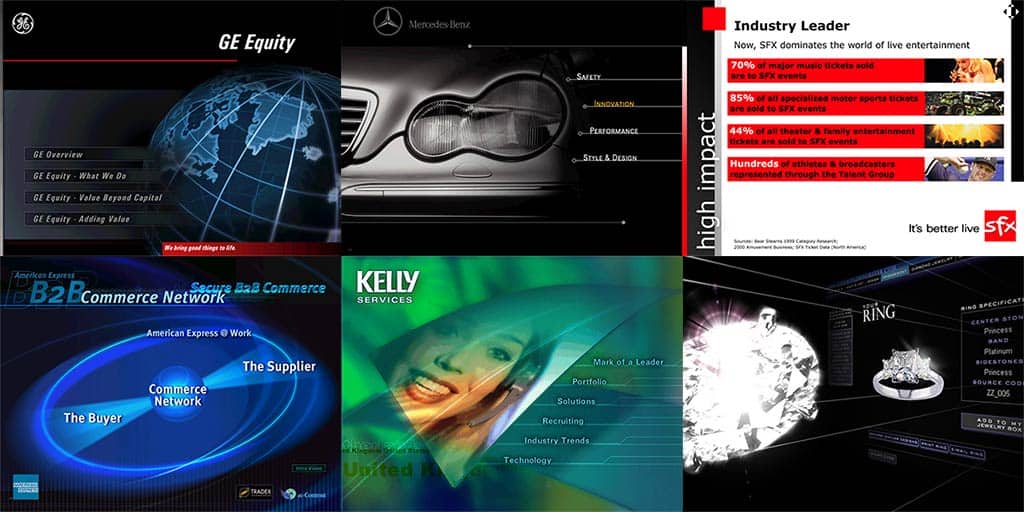
In the first 18 months, Iguana Interactive developed and designed presentation solutions for clients such as the National Basketball Association, the National Football League, Comedy Central, American Express, Kelly Services, Bravo, De Beers, and Mercedes-Benz. Not a bad roster for a start-up.

Iguana Interactive Client Slides

Unfortunately, when the dot-com bubble burst in 2001, so did Iguana Interactive’s. The investors decided to close shop and walk away.

After 9/11, in a depressed New York City, we metaphorically (and maybe even physically) pulled Iguana out of the dumpster. James was the final creditor to Iguana Interactive, so he traded his employment contract for the Iguana software. With two borrowed desks, a phone, and a ping pong table that doubled as a conference table, we started Ontra Presentations. We cold-called old clients, who were pissed that Iguana closed shop on them, and tried to find some new clients. We finally landed ABC National Television Sales.

James and Alex at Ontra Presentations

Yet by then, something interesting was happening to business presentations. The software to make presentations moved from clunky and expensive CDs running locally on laptops and desktops, to software-as-a-service tapped through networks and the cloud. Video, that was once expensive to produce and required highly skilled directors and editors turned into a commodity—anyone could make a video on a smartphone. The entire spectrum of presentation creation got democratized.

And this is what led to the moment at ABC. An exasperated sales rep walked into our meeting and threw a CD on the table.

My grandmother made a nicer presentation for our family reunion than our sales presentation!

Ouch. It became obvious to us that the problem to solve concerning presentations would no longer be how to create them. It would be how to manage all the presentations that would be created by all the individuals at every level of an organization.

We knew we had to build a new solution to keep up with ever more accessible technology and clients’ expectations.

And yet, we also realized that while technology had changed, the reason our clients called us in the first place remained the same. For almost 30 years, clients across all industries have listed their presentation problems as:

  1. There is no compliance or consistency of message across the team.
  2. No one knows what all of the employees are presenting and to whom.
  3. It takes too long to prepare presentations for meetings.

In short, enterprises want more control over the presentation content while making managers, salespeople, marketers, and anyone else who relies on presentations more productive.

Consistency, Employees, Presentations

And so, we developed the discipline of presentation management and built technology to support it—and have continued to learn from clients who adopt presentation management so we can constantly improve and update our approach. Clearly, the era of one-and-done decks is over.

Instead, smart organizations apply presentation management to create and manage decks like enterprise assets.

Presentations as Enterprise Assets—The Strategic Approach

It is time to usher in long-term thinking about presentation objectives. A company’s best presentations combine the best ideas from top leadership with professional writing, sleek graphics, and precise branding. Presentations are a form of branding. That can benefit everyone in the company over the long term, rather than just a few people in one meeting.

Presentation management positively affects everyone in the company, from the C-suite to the field manager. In fact, companies that adopt robust enterprise content management and presentation management strategies stand to realize a 400 percent ROI within five years of adoption, according to research by information management company M-Files. In order to transition from a “one-and-done” presentation mentality to an enterprise strategy, organizations must think differently about their strategic communications and presentations.

Simply put,

Presentations are strategic communications

Presentations deserve the same discipline and strategic approach as other elements in the communications mix. Think about how your company approaches PR, social, digital, advertising – with set objectives, planning, production, execution, and measurement. Presentations should be no different.


Quiz

First, try and answer these questions. Feel free to read the post again if needed. Then, scroll down to below the author profiles to find the answers.

Q1: What key change in technology made presentation creation easier for everyone?

Q2: What long standing problem do enterprises face with presentations?


Quiz Answers

A1: Presentation software moved from CD based tools to cloud based, easily accessible platforms.

A2: Teams struggle with consistency, compliance, and knowing what employees are presenting.


In the next post of this Presentation Management series, we will look at Increases Productivity

Categories
Presentation Management

Empowering Presenters

Presentation Management 06

Original content by AlexAnndra Ontra and James Ontra
Enhanced by Geetesh Bajaj

Presentation Management: The New Strategy for Enterprise Content

This post is part of a series on Presentation Management, and is the sixth post in this series.

Here are links to the previous posts:

  1. Presentation Management: Ending the Tangled Mess of PowerPoint?
  2. Presentation Management: What’s Wrong With PowerPoint (As If You Didn’t Know Already)
  3. Presentation Management: Visual Storytelling
  4. Presentation Management: Introducing the Discipline
  5. Presentation Management: Why Is It Important Now

This set of serialized posts is based on original content, the Presentation Management: The New Strategy for Enterprise Content book, authored by AlexAnndra Ontra and James Ontra.

When we talk about presenters in this book, we are referring to people who want to drive action. In business, this is often the salesperson, but it really can be any leader in the company. Leaders at all levels, from middle management to the C-suite, need to motivate people to act.

Empowering Presenters

And whether that act means getting someone to buy the company’s products, invest capital in the company, contribute great ideas to a project, or learn something new and therefore become a better, more productive employee, the presentation management strategy will raise everyone’s ability to present better, to act better. Presentation management is empowering because it increases productivity and confidence.

Productivity

As U.S. Bank’s Scott Welvaert said,

The time required to put together presentations after implementing a presentation management solution dropped from five hours to five minutes.

In its most basic form, presentation management empowers presenters to easily find and reuse compliant content for their specific meeting. So, the tedious hours employees would have spent searching around the network for existing content or writing and designing content, even when that’s not their skill set, become a simple keyword search.

Type in a few words, find the right slide, and drag and drop it into a new presentation. The four hours and 55 minutes saved can be better spent learning more about a particular client and building new relationships with new clients. The presenters have more time to actually conduct their business.

Presentation management gives the marketing and compliance departments – who typically create content — an effective means to distribute their work, ensure its use and reuse, and track slides and files to see what’s resonating in the field.

The company can control content to ensure that everyone is using the right, up-to-date content with the proper brand standards, messaging, and disclosure statements. Those departments no longer lose days derailed by last-minute requests, “Hey, can you help me find that slide? I have a meeting in 20 minutes, and I need some data on product AA.”

Confidence

A smart presentation management strategy ensures a content repository that is accessible on the fly. Wherever you are, whomever you are with, it gives you quick access to critical company information. You are empowered to speak intelligently and correctly about any aspect of your company’s business.

All good salespeople prepare for meetings, of course. They study their client’s business and study the company’s products to ensure that they are offering – presenting — the best solution for that client. But clients throw curve balls. There’s always that one question, “Our problem isn’t so much about AA but really about BB.” Even if you’ve spent weeks researching AA for this meeting, with presentation management, you can switch gears and discuss BB with that client. All the BB content is accessible. So as a speaker, you don’t have to miss a beat.

Empowering Presenters AA to BB

With that arsenal of company information supporting you, you don’t have to bluff or give that meeting-killer response, “I’ll get back to you on that later.” You can instead lead a deep, interactive discussion with your client.

When the client asks a question, whether you were prepared for it or not, you can still answer correctly and intelligently. Question and answer leads to more discussion, more active participation from the client. When the client is talking, you are learning more about her business. What you home in on from her feedback, you can then turn into a better solution, and tell a better story about how you can help them – a story that sells.

So now you’ve spent less time creating a riveting and compliant presentation that actually encourages deeper discussion with your client. Through this process, you’ve built more credibility and trust. Clients who trust you buy from you. Colleagues who trust you work harder for and with you.

Who in your company communicates instinctively, naturally? The CEO. CEOs can field any question about any aspect of the business, right off the cuff. They are charismatic, natural storytellers who motivate those around them, whether they are customers, investors, or employees. Their knowledge affords them credibility. Their stories inspire. That’s why they get named as CEOs!

A well-executed presentation management strategy helps everyone at the company speak with the dexterity of the CEO. It combines the detailed information needed to inform, with the storytelling needed to inspire and the flexibility to present anywhere, anytime, with anyone – just like a skilled CEO.

Takeaways

Let us now look at what we learned in the six posts on Presentation Management released so far.

  1. Presentations are made to communicate important ideas and motivate people to act. The actions could be to make a purchase, learn something new, or participate in a project. They are created to move someone to do something.
  2. Most companies have a mess of PowerPoint and other files tangled on their networks. Embedded in these files is great information, but no one can find it. Presentations are a grossly wasted resource.
  3. Presentation management takes one-and-done files and transforms them into enterprise assets.
  4. Presentation management empowers presenters by giving them more confidence and making them more productive.
  5. Visual communications are more powerful than words alone. We respond to pictures, especially pictures that depict emotion.

Quiz

First, try and answer these questions. Feel free to read the post again if needed. Then, scroll down to below the author profiles to find the answers.

Q1: What is one major benefit of presentation management for productivity?

Q2: How does presentation management improve a presenter’s confidence?


Quiz Answers

A1: Presentation management reduces the time needed to create presentations by making it easy to find and reuse compliant content.

A2: Presentation management gives presenters quick access to accurate company information, allowing them to answer unexpected questions intelligently.


In the next post of this Presentation Management series, we will look at From One-and-Done to Enterprise Assets.

Categories
Presentation Management

Why Is It Important Now?

Presentation Management 05

Original content by AlexAnndra Ontra and James Ontra
Enhanced by Geetesh Bajaj

Presentation Management: The New Strategy for Enterprise Content

This post is part of a series on Presentation Management, and is the fifth post in this series.

Here are links to the previous posts:

  1. Presentation Management: Ending the Tangled Mess of PowerPoint?
  2. Presentation Management: What’s Wrong With PowerPoint (As If You Didn’t Know Already)
  3. Presentation Management: Visual Storytelling
  4. Presentation Management: Introducing the Discipline

This set of serialized posts is based on original content, the Presentation Management: The New Strategy for Enterprise Content book, authored by AlexAnndra Ontra and James Ontra.

Three different waves of change are merging to profoundly affect how corporations operate:

  1. The first is the flood of Millennials into the workforce, and how that generation consumes media and technology.
  2. The second is decentralization of corporate hierarchy.
  3. The third is the arrival of artificial intelligence, or AI.

Though seemingly disparate, these three elements are converging like different cold and warm fronts to combine into the perfect storm. Presentation management will help your company navigate that storm.

1. Millennials in the Workforce

Millennials – the generation born from 1981 to 1997 — will make up 75 percent of the workforce by 2025, and they are bringing their media and tech habits into the workplace. Millennials grew up digital. They are the first generation raised with mobile phones and social media. They live through their devices. Not only do they socialize with friends through apps and Instagram, but they also watch TV on iPads, order food online, and send texts and emails on their phones.

Not surprisingly, they are also multi-taskers with several browser windows open on their laptops, along with a messaging app, and a smartphone chiming away with constant alerts. Their eyes and thoughts are accustomed to moving from one screen and idea to the next and then back again. They spend three or more hours a day looking at their phones, accustomed to instant gratification. And those same habits carry over to their professional lives.

Why Is It Important Now 02
Image: Pixabay

Presentation management meshes slides and decks with this Millennial mentality. Without any presentation management, a typical PowerPoint deck is linear — slide one, slide two, slide three. It is a pre-planned deck – and, so, a pre-planned talk — with little room for spontaneous discussion. However, Millennials like to get information in an interactive, multi-threaded way, and here’s where presentation management helps them make presenting more interactive.

From a Millennial standpoint, they’re thinking, “I have a question about your product, and I’d like it answered now, without having to sit through 30 more slides until you get to it.” Presentation management encourages a fluid exchange of ideas – with supporting visuals — during a meeting. It lets the presentation follow the conversation – a massively important point that we’ll dive into later.

2. Corporate Decentralization

Corporate structure and culture have been profoundly changing for years. Corporations are shifting from a hierarchical structure to a decentralized, more autonomous workforce.

Jamie Dimon, CEO of the largest American bank, JPMorgan Chase & Co., stated in a public letter:

Bureaucracy is a disease. Bureaucracy drives out good people, slows down decision making, kills innovation, and is often the petri dish of bad politics.

The corner office has gone the way of flannel suits and wingtips. Iconic American companies are moving from suburban areas to city centers. In 2017, General Electric sold its sprawling Fairfield, Conn., campus and moved its headquarters to Boston. In 2018, McDonald’s moved from Oak Brook, Ill., into downtown Chicago. Companies are moving into dynamic urban areas because that’s where college graduates want to live.

At the same time, working remotely has moved from a perk to an expectation. It is estimated that there has been a 115 percent increase in telecommuting over the last 10 years, and 43 percent of the U.S. workforce works remotely, according to the 2017 study State of Telecommuting in the U.S. Employee Workforce by Global Workplace Analytics.

Being tethered to a cubicle is not necessarily the most productive way to get the job done. Workers complain of distractions in the office from things as simple as water-cooler chitchat to colleagues walking by and asking for things. Long commutes waste time and pile on stress – the time and energy could be better spent focused on a task. In addition, workers want more flexibility in their schedules so they can balance career and family life. Ubiquitous wireless connectivity makes remote work productive.

Why Is It Important Now 03
Image: Pixabay

Presentation management transcends geography. Whether your company still requires everyone to report into the office or encourages a mobile workforce with lots of flex time, presentation management gives workers high-level content to promote their company and their company’s products from anywhere, at any time. Employees can give a presentation over coffee at Starbucks using a phone, or at a podium in a boardroom equipped with giant screens. It gives presenters the flexibility to adjust their message to whatever the client or prospect demands at any given moment, while ensuring the corporate brand and message stay true.

3. The Rise of Artificial Intelligence

AI is creating new opportunities for business — and for presentations. Today, companies use AI to analyze data, identify market trends, and predict the consumer’s next step. A Google search is AI in a primitive form.

AI is starting to make emotional connections for consumers. Let’s compare apples and oranges. Categorically, they are both fruit, round, grow on trees, and are available for sale in the produce section. But they are not the same. They look and taste different. Alex uses oranges for fresh juice every morning to get her full day supply of vitamin C, whereas she uses apples for baking pies. Come to think of it, our grandmother made the best apple pie in the entire world. Our grandmother was the most wonderful woman in our entire world, and she always made us feel safe and loved when she tucked us in at night.

There is a real difference in how Alex interprets, experiences, and interacts with these two kinds of fruit. She associates apples with our grandmother and feelings of love and security, but she sees oranges as just a source of nutrition. AI is increasingly able to make these connections for us – to connect the apple to our grandma to a feeling of being safe and loved. As AI advances, it will recognize these associations and make suggestions accordingly.

AI - Apples and Oranges
Image: Pixabay

From a business presentation standpoint, the same process applies, but with slides. AI in presentation management can recognize patterns in your presentations. Those patterns could be related to the slides you view, present, rank, search for, and any other activity related to slide usage. We call it Predictive SlidesTM, and it should be a key piece of any presentation management strategy.

The concept works like this:

  1. Let’s say you are preparing for a meeting with a client, and you choose 15 slides from your library of 500. The AI behind Predictive Slides can already have some idea of who you are meeting with and what will be discussed.
  2. During that meeting, you find out your client is interested in a different product than anticipated, and the client wants more detailed information. All are positive “buy” signs. So you want to seize this opportunity and present the information the client needs.
  3. Predictive slides can take cues from your actions and slide choices – much the way Google takes cues from your searches – and can surface he right slides at the right time. Instead of having to search for slides about that other product, predictive slides will make the connection, saving the presenter time hunting and scrolling through a 500-slide library.

When this happens in real time, the meeting becomes more productive. You give clients the information they want. It makes you and your company look smarter, which makes the client more likely to buy.


Quiz

First, try and answer these questions. Feel free to read the post again if needed. Then, scroll down to below the author profiles to find the answers.

Q1: What percentage of the workforce will Millennials make up by 2025?

Q2: What are the three major forces driving the need for presentation management today?


Quiz Answers

A1: They will make up 75 percent of the workforce.

A2: These three major forces are:
1. The rise of Millennials in the workforce
2. Corporate decentralization
3. The growth of artificial intelligence (AI)


In the next post of this Presentation Management series, we will look at empowers presenters.

Categories
Presentation Management

Introducing the Discipline

Presentation Management 04

Original content by AlexAnndra Ontra and James Ontra
Enhanced by Geetesh Bajaj

Presentation Management: The New Strategy for Enterprise Content

This post is part of a series on Presentation Management, and is the fourth post in this series.

Here are links to the previous three posts:

  1. Presentation Management: Ending the Tangled Mess of PowerPoint?
  2. Presentation Management: What’s Wrong With PowerPoint (As If You Didn’t Know Already)
  3. Presentation Management: Visual Storytelling

This set of serialized posts is based on original content, the Presentation Management: The New Strategy for Enterprise Content book, authored by AlexAnndra Ontra and James Ontra.

You may agree with what we say, you may disagree, or you may partly agree. Either way, we want to hear your thoughts! Please do post your comments to make this post more engaging.

After looking at the tangled mess that PowerPoint weaves, and exploring the concept of presentation management and how it helps visual storytelling, let us now look more closely at how presentation management can improve your workflow, life, and help you manage your visual assets.

The new discipline of presentation management can have an enormous impact on a company.

Presentation management takes presentations from one-and-done, single files and turns them into enterprise assets deployed intelligently throughout your organization.

Presentation Management Explained, by Shufflrr

James shared this video with me, coincidentally, when I was working on this post. Since this video is so synergistic with the content of this post, it seems like a great idea to include it here!

Presentation management is a combination of technology and strategic thinking about presentations. We’re writing this book because we have been building and rebuilding presentation technologies since the mid-1990s, and we’ve helped companies understand how to use it to change their thinking about presentations and manage that content as they would any valuable asset.

We’ll dive deeper into these topics in the following chapters, but briefly, presentation management works like this:

  1. A company decides that it wants to use its presentation content over and over again, rather than waste time and money re-creating slides that already exist but no one can seem to find. So the company engages a presentation management service to store and track these files and slides.
  2. When employees need to create a new presentation, they log into the service, do a quick search for the specific content they need, and preview their options from a variety of formats, including PowerPoint, video, images and PDFs.
  3. Then they just select the slides needed for the new deck. It’s like shopping online: You log in, browse for stuff, and click on what you want. Except instead of putting stuff into a shopping cart, they are moving slides or other files into a slide tray that gets saved as a new presentation, which they can then use in their next meeting.
  4. On the back end, the company has a record of who used which slides and videos, just as Amazon knows that you bought shampoo and a book last week. That’s presentation management in its simplest form. But most large enterprises take the discipline further and develop a more strategic approach to presentations.

U.S. Bank is one example. The fifth-largest bank in the U.S. had challenges with its presentations that should sound familiar to any big corporation:

  • Each department was its own presentation silo.
  • There was no consistent branding across the decks made by people in different units, and the corporate marketing team had little control over who presented what to whom.
  • Employees making their own decks were presenting products that didn’t exist anymore, or using variations of the brand that had long since been retired.
  • On top of that, it was taking their employees a good five hours each to create their presentations.
  • They were looking through a SharePoint site and network folders, opening and scrolling through random decks to copy and paste slides into a new, patchwork deck.
  • Some decks had different backgrounds; others just had bad or old information.
  • So countless employees wasted piles of time creating inaccurate, non-compliant (which in banking means risking the rage of regulators) slides.

Their presentation process, or lack thereof, was too rogue for a 150-year-old institution with about half a trillion dollars in assets. So U.S. Bank implemented a presentation management strategy to provide better branded content to its teams — and take outdated content out of circulation so no one could present the wrong information ever again.

To do so, the bank contracted with us at Shufflrr to provide a cloud presentation solution.

The result was an inspiring quote:

Just giving employees, the ability to find the right slides and drag and drop them into presentations cuts down the time required to create presentations from five hours to five minutes.

– U.S. Bank executive

What is Shufflrr?

There are several presentation management tools available, and Shufflrr is one of them. All of these tools are not created equal, and in fact, some may be geared to completely differing requirements.

Shufflrr was created by James Ontra and AlexAnndra Ontra, siblings who have been part of the presentation management universe before many of us heard about the term.

I asked James about the name, Shufflrr, and here is his response.

James Ontra
James Ontra

A name should describe your service, and presentations are commonly referred to as decks. So, it was easy for people to make the connection to a deck of cards. Shufflrr makes it easy to shuffle slides into new decks.

– James Ontra
Extensive Deck

Shufflrr comes with a variety of controls, such as permissions, updates, and metrics. Corporate marketing can give access to those people who are qualified to use and present certain content.

Each division can control its content for its team. If someone needs to cross-sell a product from another division, that person can easily be given access.

Corporate administrators can push out updated content, which ensures that old material gets retired and every slide is up to date.

Finally, thanks to reporting and metrics, corporate marketing can see what content gets used most often and by whom. U.S. Bank finally got real data about its content and how or whether it resonates with customers or others who are on the receiving end of presentations.

It’s important to note that U.S. Bank’s presentation management solution was not just a tool with some cool features that let it arrange and control content. Adopting the technology also forced the bank’s leadership team to think about presentations in a different way. Marketing could create a corporate encyclopedia of U.S. Bank content sourced from the experts in each division, for use by the entire U.S. Bank team. It was a top-down approach that still gives individuals autonomy and flexibility to do their particular job, and do it well.

The result: U.S. Bank corporate finally had control over the brand and product message, while employees had a faster, easier way to create presentations. Presentation management is a win-win for all sides of the enterprise.

That is the competitive advantage of presentation management. It unleashes all of the great knowledge within your company’s presentations. By employing an intelligent presentation management strategy, you are giving everyone in your company the ability to talk intelligently about any aspect of the business at any time, whether or not it is their particular area of expertise. Everyone becomes as knowledgeable and articulate as the CEO (and we’ll talk more about that later).

But that’s only part of the equation. By employing a presentation management strategy, you are also mitigating risk and increasing productivity.


Quiz

First, try and answer these questions. Feel free to read the post again if needed. Then, scroll down to below the author profiles to find the answers.

Q1: Presentation management takes presentations from everywhere and turns them into content you can share with the world. Is that true?

Q2: By employing a presentation management strategy, you are you are giving everyone in your company the ability to talk intelligently about any aspect of the business at any time, whether or not it is their particular area of expertise. But what else are you doing?


Quiz Answers

A1: No, not at all. In fact, presentation management takes presentations from one-and-done, single files and turns them into enterprise assets deployed intelligently throughout your organization.

A2: By employing a presentation management strategy, you are also mitigating risk and increasing productivity.


In the next post of this Presentation Management series, we will look at Why Is It Important Now.

Categories
Presentation Management

Visual Storytelling

Presentation Management 03

Original content by AlexAnndra Ontra and James Ontra
Enhanced by Geetesh Bajaj

Presentation Management: The New Strategy for Enterprise Content

This post is part of a series on Presentation Management, and is the third post in this series after our Presentation Management: Ending the Tangled Mess of PowerPoint? and Presentation Management: What’s Wrong With PowerPoint (As If You Didn’t Know Already) posts.

This set of serialized posts is based on original content, the Presentation Management: The New Strategy for Enterprise Content book, authored by AlexAnndra Ontra and James Ontra.

You may agree with what we say, you may disagree, or you may partly agree. Either way, we want to hear your thoughts! Please do post your comments to make this post more engaging.

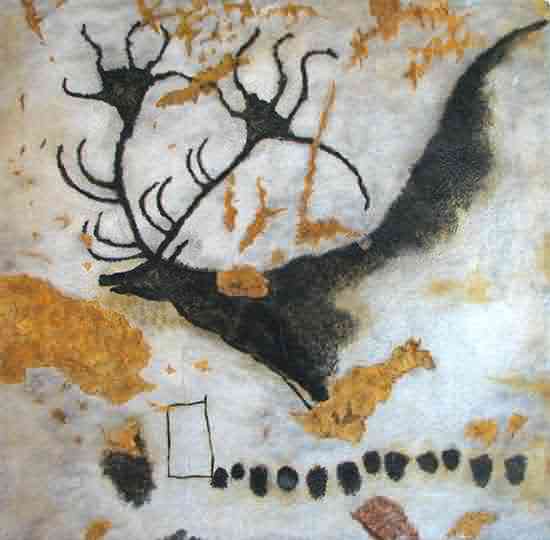
Visual storytelling is powerful and ancient. Throughout the course of history, literacy rates have been abysmally low. It was not until fairly recently, in 2015, that world literacy rates rose to 86.2 percent. In the Stone Age, Neanderthals used cave drawings to communicate with each other. One theory is that the artists described themselves and the animals around them, communicating information that helped them survive. The cave drawings were visual stories relaying critical information.

Lascaus Mmegaloceros
A painting of the Giant Deer from Lascaux
Source: Wikimedia Commons

Visual communications media evolved from cave drawings to paint brushed on wood or stone, to charcoal or ink on paper, then to framed paintings and stained-glass windows. Medieval paintings tell stories of God’s glory and wrath, kings decorated with riches, and peasants tilling the fields.

Stained Glass Church
Image: Pixabay

In a world where most people could not read, the visuals told the stories and taught proper behavior so that everyone could live in a civil society. Visual stories were how human beings evolved and thrived as a dominant species.

Visuals are also a faster way to communicate than words alone. Humans are visual first, verbal second. We process visuals 60,000 times faster than text. Let’s try an experiment.

Read this: Laughing baby.

Now look at this:

Laughing baby

What induced more of a reaction, the words “laughing baby” or the picture of a laughing baby? Most likely, you had a stronger reaction to the latter — maybe a bigger smile and a little gasp of, “Aww, how cute!” Pictures evoke emotion where words cannot.

Learning More: Psychology of Visuals in PowerPoint

Richard E. Mayer
Richard E. Mayer

If you want to learn more about pictures and other media elements evoke more interest from the audience than text alone, you should read Richard E. Mayer‘s classic book on this subject, Multimedia Learning (Cambridge University Press, 2001).

In an interview with Richard E. Mayer, published on Indezine, this is what he said when asked about how his research applied to content such as PowerPoint slides:

I describe some research-based principles for the design of multimedia instructional messages including the following: multimedia principle, in which people learn better from words and pictures than from words alone; coherence principle, in which people learn better when extraneous material is excluded rather than included; contiguity principle, in which people learn better when corresponding words and pictures are presented at the same time or next to each other on the screen; modality principle, in which people learn better from animation with spoken text than animation with printed text; signaling principle, in which people learn better when the material is organized with clear outlines and headings; and personalization principle, in which people learn better from conversational style than formal style.

He further adds:

For example, in designing a PowerPoint slide, it is important to not present an overwhelming amount of information (i.e., coherence principle), and it is useful to have simple graphics to supplement words (i.e., multimedia principle). Finally, it is important to note that good design principles for inexperienced learners might not be the same as for experienced learners.

Marketers know this. The advertising industry was built on this. In business, the visuals and graphics that helped sell a product or service were long the purview of skilled tradesmen. Illustrators, typesetters, photographers, retouchers and movie directors were esteemed artisans. They were paid handsomely by corporate marketing-advertising experts to help visualize—i.e., tell—the corporate story because businesses saw the importance of conveying the “right” visual story.

Today, media is digital and on-demand. We shoot video instantly on our phones, edit it ourselves, and upload it to YouTube. Pictures can also be taken and retouched right on our phones. Talk about controlling your visual story. We are all the spin-masters of our visual lives.

The ubiquity of digital tools is progress. It’s faster and cheaper than ever to take and distribute a beautiful picture. And it’s faster and cheaper than ever to create your own deck, rather than spend the time and money hiring someone else to do it. While that’s a huge advance, the reliance on PowerPoint has some drawbacks to communications for any kind of organization.

PowerPoint is Rigid

It forces the speaker and the audience into a linear train of thought. But as humans, our minds and conversations like to wander. It’s how we create and ideate. PowerPoint’s linear format forces us into an unnatural thought process. It deters creativity.

Bullet Points and the Outline Format Inhibit the Narrative

An outline has long been a way to organize thoughts and build a compelling story and conversation around them. It was a starting point to a more in-depth proposal and plan. With PowerPoint, the outline has evolved into the final plan. The nuance and critical thinking that were once the meat of the proposal have now been omitted from “the deck.” After all, writing is thinking.

It’s a Crutch That Makes Us Lazy

If you can get away with a few bullet points, why bother with all that extra thinking work? It’s a lot faster to write up some bullets without having to worry about those pesky transitions that tie ideas together. Throw in some nice effects, a few pictures, charts, and…voila! You’re good to go. Yes, you are good to go and bore the hell out of your colleagues or clients—the very people on whom your success depends.

There Are Enough Graphics to Be Dangerous

PowerPoint’s greatest attribute is also its worst crime against the critical, thoughtful exchange of ideas. It has a wealth of animated effects, transitions, template designs, charting, and graphic tools that will turn a neophyte into a bad graphic designer. Graphs and images, when used to support your main idea, are invaluable. The pitfall lies when users get carried away and use too many images or images that don’t necessarily reinforce their idea. So the slides become a distraction from the main point.

It’s One and Done

A great presentation may take hours or even weeks to create. It might include copywriting, branded graphics, pictures, and video that reinforce the message, as well as input from the company’s top executives—making it a very powerful piece of communications. This is the kind of content that, when unleashed across the company, can up everyone’s game. But after the meeting, this deck gets lost in a folder or some long email chain, to die a lonely death in obscurity. If someone in the company wants to reuse any of that content, then she will spend hours hunting and pecking around the network, opening, scrolling, and then closing the wrong files. And if she is lucky enough to stumble upon the right deck, then she will scroll, copy, and paste into a new deck. Repeat that seemingly innocuous process several times, and before you know it, there are 20-plus PowerPoint files open on your desktop, and you’re afraid to close them lest you lose something important. Which file was that? Not sure, so you just save as version 27, which just so happens to be the same as version 25. But no one has the time or energy to read through all those decks that are basically the same. A gross waste of time, money, and space—both mental space and network space.

These presentations become lost assets. Who loses assets? Businesses that fail, that’s who! Who uses their assets wisely? Businesses that succeed. Presentations are often overlooked assets, a wellspring of knowledge just waiting to be tapped. Exploiting your presentation assets in a methodical way will improve everyone’s performance.


Quiz

First, try and answer these questions. Feel free to read the post again if needed. Then, scroll down to below the author profiles to find the answers.

Q1: Between visuals and words, what do human beings process first?

Q2: Which types of presentations become lost assets?


Quiz Answers

A1: Humans are visual first, verbal second. We process visuals 60,000 times faster than text.

A2: A great presentation may take hours or even weeks to create. It might include copywriting, branded graphics, pictures, and video that reinforce the message, as well as input from the company’s top executives – making it a very powerful piece of communications. This is the kind of content that, when forgotten about, can become a lost asset.


In the next post of this Presentation Management series, we will look at Introducing the Discipline.

Categories
Presentation Management

What’s Wrong With PowerPoint (As If You Didn’t Know Already)

Presentation Management 02

Original content by AlexAnndra Ontra and James Ontra
Enhanced by Geetesh Bajaj

Presentation Management: The New Strategy for Enterprise Content

This post is part of a series on Presentation Management, and is the second post in this series after our first Presentation Management: Ending the Tangled Mess of PowerPoint? post.

This set of serialized posts is based on original content, the Presentation Management: The New Strategy for Enterprise Content book, authored by AlexAnndra Ontra and James Ontra.

With their consent, it was decided to make this post series explore the same concept with a larger perspective, while still retaining the original content. This will help us enlarge and enhance the scope, and reach a larger audience. At the same time, the content will be divided into smaller posts, that you can read one at a time. As far as possible, each post will be individually self-contained. We will also take advantage of the blog post medium to make this content more colorful, detailed, and interactive.

You may agree with what we say, you may disagree, or you may partly agree. Either way, we want to hear your thoughts! Please do post your comments to make this post more engaging.


Like it or not, PowerPoint is the lowest common denominator for business communications. Sure, you can argue that email and instant messaging tools like Slack are used every minute of every day, but critical ideas that require planning and action always make their way into a presentation, usually a PowerPoint deck – or some alternative, like Google Slides. If a business idea has any gravity, it is in a presentation somewhere within the company network.

Yet PowerPoint, which was created over 30 years ago, hasn’t changed all that much. It may have gotten fancier, with smarter graphics and cooler animations, and it’s pretty easy to use, which is why everyone uses it. But for companies, the fact that everyone is using it is a problem.

PowerPoint is Thirty-Plus!

Yes, PowerPoint has been around longer than many of us, and there are some interesting stories about how PowerPoint was created and how it was named.

Here are a few stories on Indezine that make interesting reading:

When PowerPoint turned 20, someone said:

Back in the late eighties, we laughed at our science teachers when they burned themselves on an overhead projector or fumbled with their clear, handwritten sheets so they weren’t projecting their notes upside, and backwards. What a relief when PowerPoint came to our rescue… well, not exactly.

And when PowerPoint turned 25, Robert Gaskins, in an exclusive interview, told us how it got its name:

Then one morning, when I was taking a shower (where most of history’s great discoveries seem to have occurred), I thought of the name PowerPoint, for no obvious reason.

And again, when PowerPoint turned 30, Robert Gaskins wondered:

The question is, why are Millennials still rating PowerPoint so highly and using it so much, even 30 years after it was released, on 20 April 1987?

Yes, PowerPoint does have so much baggage for the last many years. Some of this baggage can be an advantage, and some can clearly be an issue!

Inside most companies, PowerPoint is a tangled nightmare – like old wiring behind the walls just waiting to short-circuit. Too many people use too many decks with too many messages that are out of date, don’t match, or even conflict with each other. Need a critical slide at the last second? Good luck finding it. Over 30 million PowerPoint presentations are created every day, constantly adding to the knotty buildup of slides and decks sitting on individual hard drives.

Clearly, there needs to be a better way – a way that takes advantage of innovative technologies like cloud and machine learning – for a company to manage such an important asset.

Presentations are for people who need to understand, act, and react. That’s how things get done in business. Every business discipline, whether sales, training, research, investor relations, product development, or human resources, relies on PowerPoint as a way to reinforce important messages. The CEO’s five-year projection, the salesperson’s pitch to a prospect, the brand director’s marketing plan, the trainer’s lecture to a group of new hires working to get certified – they all use PowerPoint to get their message across.

PowerPoint Everywhere
Yes, PowerPoint is everywhere.

This holds true across industries. Financial institutions rely on decks packed with detailed data to raise money, announce quarterly earnings, present research analysis and market trends, and to communicate portfolio gains and losses to their clientele. Travel and hospitality reps use presentations with glorious photos and videos of their luxurious properties in exotic locations to convince travel agents and potential customers that they should spend their limited free time there. What better way to sell a vacation than to show a sandy beach with crystal blue water? Media companies rely on presentations with authentic pictures of their target consumer, combined with charts describing how their network delivers that very same person.

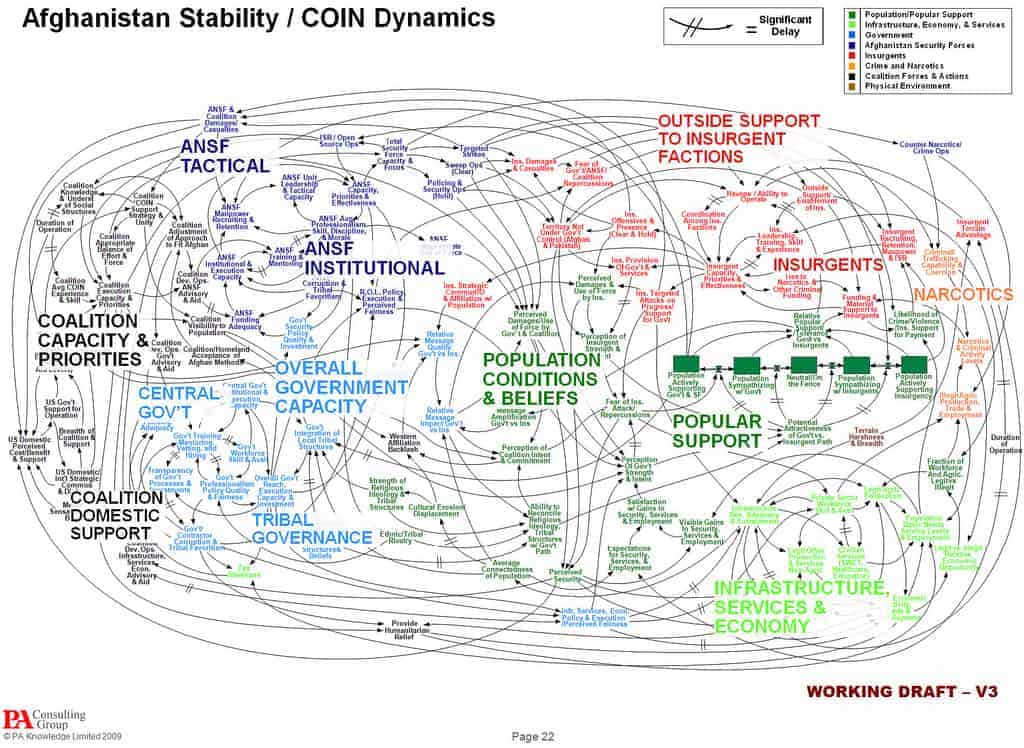
Consultants like McKinsey & Co. and Gartner Inc. generate hundreds of millions of dollars selling their decks of research, analysis, and forecasts to their corporate clients. The military is known for its reliance on PowerPoint decks. The most notorious is Gen. Stanley McChrystal’s slide that he used at a military briefing in 2009 to describe the complexity of the situation in Afghanistan. “When we understand that slide, we’ll have won the war,” he said at the time.

PowerPoint Spaghetti
Source: We Have Met the Enemy and He Is PowerPoint

McChrystal’s slide, though, shows why we rely on PowerPoint so much:It is visual.

Hear a piece of information and, three days later, you will remember 10 percent of it. Add a picture and you’ll remember 65 percent. A good 90 percent of the information processed by the brain is visual, according to the book Brain Rules by Dr. John Medina. Visual slides are absolutely critical to getting a message across, especially when the stakes are high.

Here’s another quote by Dr. John Medina, from the same book:

As you no doubt have noticed, if you’ve ever sat through a typical PowerPoint presentation, people don’t pay attention to boring things. You’ve got seconds to grab someone’s attention and only 10 minutes to keep it. At 9 minutes and 59 seconds, something must be done to regain attention and restart the clock–something emotional and relevant. Also, the brain needs a break. That’s why I use stories in this book to make many of my points.


Quiz

First, try and answer these questions. Feel free to read the post again if needed. Then, scroll down to below the author profiles to find the answers.

Q1: In today’s slide-driven world, what is considered the lowest common denominator for business communications?

Q2: Do consultants like McKinsey & Co. and Gartner Inc., generate hundreds of millions of dollars selling their decks of research, analysis and forecasts to their corporate clients?


Quiz Answers

A1: PowerPoint.

A2: Yes.


Dr. John Medina’s thoughts about using stories work so well with the next post of this Presentation Management series, in which we will look at visual storytelling.

Categories
Presentation Management

Ending the Tangled Mess of PowerPoint?

Presentation Management 01

Original content by AlexAnndra Ontra and James Ontra
Enhanced by Geetesh Bajaj

Presentation Management: The New Strategy for Enterprise ContentThis post is part of a series on Presentation Management, and is the first post in this series.

With their consent, it was decided to make this post series explore the same concept with a larger perspective, while still retaining the original content. This will help us enlarge and enhance the scope, and reach a larger audience. At the same time, the content will be divided into smaller posts, that you can read one at a time. As far as possible, each post will be individually self-contained. We will also take advantage of the blog post medium to make this content more colorful, detailed, and interactive.

You may agree with what we say, you may disagree, or you may partly agree. Either way, we want to hear your thoughts! Please do post your comments to make this post more engaging.

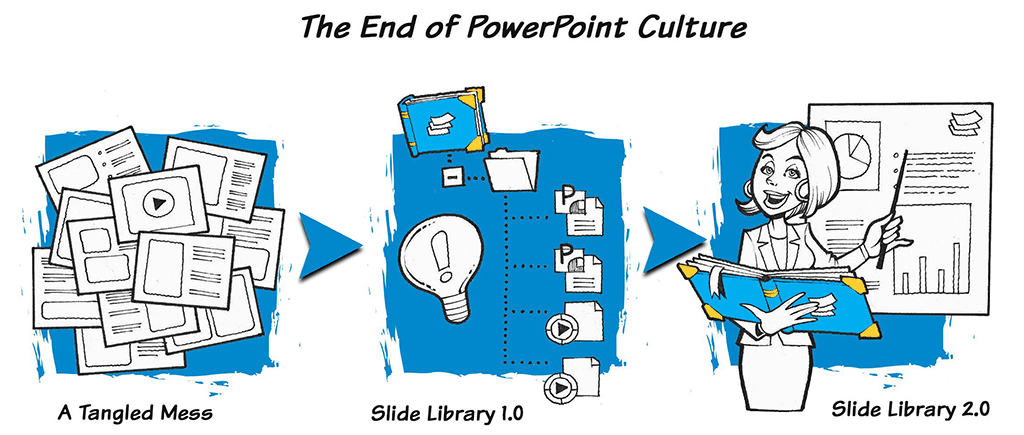
The End of PowerPoint Culture

Yay! I’m going to create a PowerPoint presentation today. I can’t wait to get to work!

— Approximately no one, ever.

Do look carefully at the illustration above. You’ll notice that the illustration is titled, “The End of PowerPoint Culture.” What do we mean by PowerPoint culture?

PowerPoint culture is the slide-making and presenting process that has ruled many offices and organizations over the last three decades. To give you an example, let’s meet Jane, who has been asked to create a presentation for tomorrow’s meeting. She knows what her boss will speak about, but she has so much more work to attend to, and she doesn’t have much time to create something fresh and inspiring.

Now, can you imagine or even identify someone you know, who isn’t very different from Jane?

So what does Jane do? Here’s a typical workflow:

  1. She fires up PowerPoint, and adds the first slide. She types the name of the presentation, and the name of her boss.

  2. She now adds the second slide, and wants to type an agenda. The problem though is that she doesn’t know how concise or detailed her boss needs the content to be. So what can she do now? Her boss is busy somewhere, and she has no time to lose. So, she copies the agenda from an older presentation, and makes edits. Yes, this is not very inspiring, but what else did you expect?

  3. Next, Jane copies a few slides from an older presentation. And maybe, it’s OK to copy older slides, for if someone spent a few hours creating the perfect slide, why not use it again? But the problem is that some stuff has changed, and the slide needs to be updated. Jane doesn’t know that.

  4. Now, Jane opens up a few important Excel sheets, and then copies a few data tables and charts, and pastes them in PowerPoint to create new slides. Who hasn’t copied content from Excel into PowerPoint before? Does it matter that she copied as many as twenty-five rows from the data table in Excel? Further, does it matter that the pasted content sports small, teeny-weeny text that most people in the audience may not be able to read?

  5. Jane is so happy to have reached this stage! She quickly adds a slide for question time, and finishes the deck with a thank you slide. It would be so impolite to end without a slide that actually says thank you!

You May Also Like: PowerPoint is not Word or Excel

Now, this story of Jane may appear exaggerated. But that’s the whole problem: it’s not exaggerated at all!

Far too many presentations are created exactly as described, and that’s what we call PowerPoint culture! Some people are not so polite: they call it death by PowerPoint. And that’s not fair, because PowerPoint did nothing at all to deserve this bad name.

You don’t blame a pencil or a pen, or even a sheet of paper for bad handwriting, so why blame PowerPoint for bad presentations? After all, isn’t PowerPoint also just a tool? OK, that is a topic we will explore another day, but you do understand now what a tangled mess our presentations weave? And that is the first of the three steps shown in the PowerPoint Culture illustration. Let us explore these three steps:

1. Tangled Mess

Well, Jane’s story was a perfect example of that tangled mess. Although it is tempting to add more, let’s be happy with that example for now.

2. Slide Library 1.0

Some entrepreneurs realized many years ago that something needed to be done for people like Jane who were part of the tangled mess. So how did they help her? Let’s look at some examples:

  • What if there was already a similar deck available that Jane could use? After all, their company employed hundreds of people like her boss, and they must have created some awesome presentations. What if their presentation designing team had already created a deck that she could at least use as a template, or even a starting point?

  • What if their company had an online database of slides that she could search?

  • What if there existed a specific template available for creating Agenda slides? Or what if an Agenda slide was automatically generated from her other slides in the deck?

  • What if all slides that Jane used were continuously updated with latest figures?

  • What if that same Excel content had been simplified and made available? And yes, the data was updated from the Excel content that Jane used.

Yes, this example explores the idea of Slide Library 1.0, that is so much more refined, elegant, useful, and updated. You just act like a slide DJ, and move all your slide content as needed, and download your own updated presentation. This is how presentation management tools like Shufflrr work, and many enterprise customers and even consultants use this solution to make sure that their PowerPoints are not creating a tangled mess.

3. Slide Library 2.0

This is the evolution of Slide Library 1.0 to something even better. In the rest of this post, and in more posts of this series, we will learn so much more about Slide Library 2.0.

Yes, there is so much that is about to change. There is an entirely new way to make, manage, use, and even think about the slides and decks that are so critical to businesses and other organizations.

A new discipline called Presentation Management is bringing decades-old presentation technology into the 21st century. In short, presentation management stores and manages slides in the cloud, so the slides can easily be used, reused, shared, updated, tracked, and organized for the whole enterprise.

The slides become smart–embedded with data and analytics so you can actually gauge their performance. Machine-learning technology can learn about the slides in the system, understand what’s happening during a live presentation, and suggest slides to help the presenter instantly find a slide that matches the conversation in the room.

Most importantly, Presentation Management is a state of mind. It flips the very notion of a presentation on its head, making it more natural – like the way people used to talk and tell stories long before PowerPoint was invented. Slide decks force us to build rigid presentations that we must follow in order, no matter how the room is reacting or what questions get raised. (How many times have you heard: “Hold on, I’ll get to that slide in a minute,” when someone asks a question?) Presentation Management solves this problem. With Presentation Management, the slides follow the conversation instead of the other way around. Discuss a point, and the right supportive slide appears. Take a turn into an unplanned side topic, and the slides go along for the ride.

Presentation Management Shufflrr 01

Instead of presenting in meetings—which is a one-way lecture that quickly gets boring—this new approach means we will actually talk to each other and always have the right supportive materials at the ready.

A growing number of companies are embracing a presentation management strategy. They range from U.S. Bank to Royal Caribbean Cruise Line to major media companies, consulting groups, and medical research labs. Companies that adopt presentation management find they get immediate benefits. They are also putting in place a system for changing the culture of presentations and making them more effective for years to come.

In the presentation management era, the dread of making, giving, or enduring! A PowerPoint presentation can all but disappear.

This, then, is the story of presentation management and a guide on how to adopt it, make it work, and use it to drive change in your presentation culture.


Quiz

First, try and answer these questions. Feel free to read the post again if needed. Then, scroll down to below the author profiles to find the answers.

Q1: Presentation management stores and manages slides on your computer, so the slides can easily be used, reused, shared, updated, tracked and organized for the whole enterprise. Is this true?

Q2: Can presentation management eradicate the dread of making, giving – or enduring a PowerPoint presentation?


Quiz Answers

A1: Not entirely, because most of the times, these slides are saved on the cloud rather than your computer. Everything else is true, though.

A2: Certainly.


In the next post of this Presentation Management series, we will look at what’s wrong with PowerPoint (as if you didn’t know already).

Categories
Presentation Management

Presentation Management Series

Presentation Management Series

This post series delves into the key concepts from the Presentation Management book, authored by James Ontra and AlexAnndra Ontra, offering a broader perspective while staying true to the book’s original intent. The content has been further enriched with additional insights and interactive elements by Geetesh Bajaj, enhancing its practicality and reader engagement.

Adopting this approach allows us to broaden our scope and engage a wider audience. The content is thoughtfully segmented into concise, standalone posts for easy consumption. Each of the 27 posts is designed to be self-contained, ensuring clarity and accessibility. Additionally, we leverage the blog format to enrich the content with visuals, depth, and interactive elements, enhancing both engagement and value for our readers.

Please use the links below to access the posts in sequence. That said, each article is designed to work stand alone, so you are welcome to begin with any topic of interest.

01: Ending the Tangled Mess of PowerPoint?
02: What’s Wrong With PowerPoint (As If You Didn’t Know Already)
03: Visual Storytelling
04: Introducing the Discipline
05: Why Is It Important Now
06: Empowering Presenters
07: From One-and-Done to Enterprise Assets
08: Increases Productivity
09: Ensure Compliance
10: Enterprise Files for Everyday Use
11: How Presentation Management Transforms Content
12: Interactive Presentations
13: Better Storytelling
14. Making Presentations Intelligent
15. Culture of Presentation Management

16. Training Starts the Conversation
17. Collect Content
18. Lifecycle of a Presentation
19. Distribution
20. Sharing and Presenting
21. Social Engagement, Reporting, and Updating
22. Making Better Presentations; Telling Better Stories
23. Short and Memorable Presentations
24. Create a Story for Business
25. Content Organization
26. The Future of Presentations
27. The Humanity of Presentations, from Cave Paintings to PowerPoint and Back Again